
Dota 2 analytics guide:
how LaneMind turns matches into better decisions
This is not generic coaching fluff. LaneMind works as a Dota 2 analytics and coaching platform with live overlay data, enemy read tools, post-game learning, and a polished desktop control center built to help real players climb with less guesswork and more confidence.
Live analytics while the match is happening
Advice changes for carry, mid, offlane, pos 4, and pos 5
Built around Dota 2's Game State Integration data flow
Why players choose this Dota 2 coaching app
Most Dota players do not lose because they lack effort. They lose because they miss timing windows, misread danger, tunnel on the wrong item, or fail to convert information into a better next move. LaneMind closes that gap in real time, but its biggest edge is what happens after the match: advanced review reports and long-term stats intelligence that show exactly where your decisions are leaking MMR.
Product walkthrough
Every screenshot below is from the real app. No fake dashboard renders. No vague promises. Just the actual surfaces players use to think faster, react better, and improve with intention. The first two sections are the core of the product: deep match review and long-term stats intelligence that keep compounding value after the match ends.
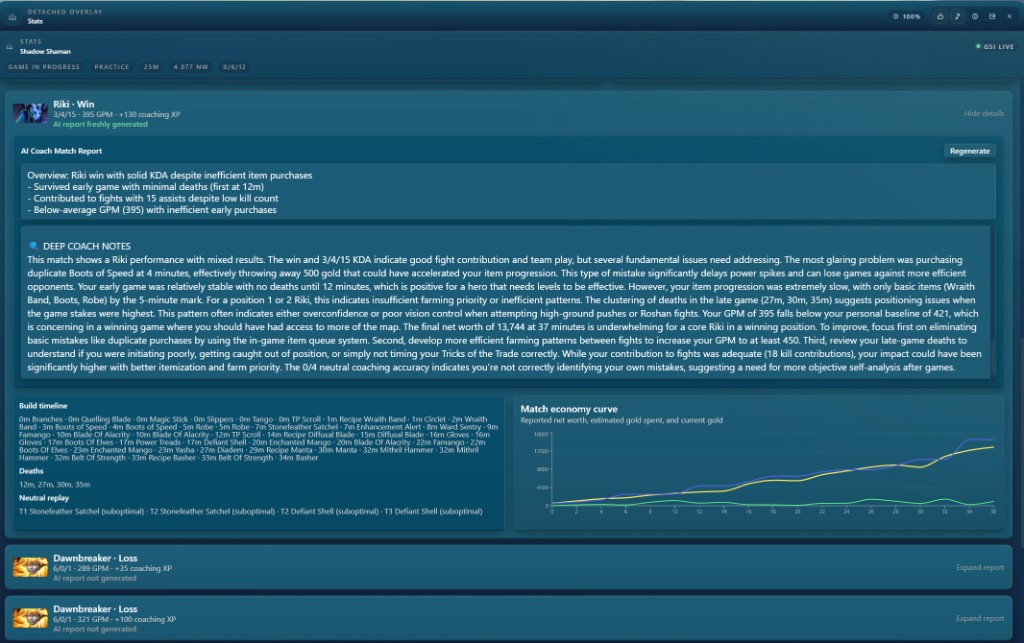
This is the power feature: post-game analysis that explains why you actually won or lost
The live overlay helps you play the current match better. This report is what helps you become a better player over the next fifty matches. LaneMind turns your build order, deaths, economy pacing, neutral decisions, and timing mistakes into a real coaching report that tells you where value leaked and what needs to change next.
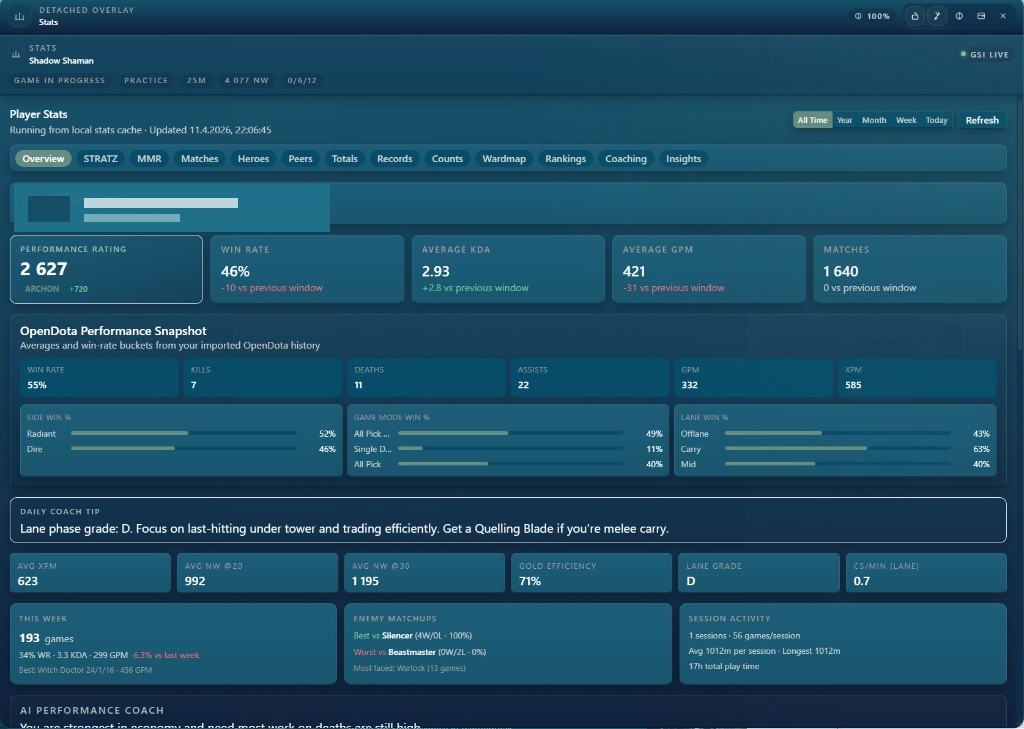
Long-term stats intelligence that shows where your rank is really being won or lost
Most players never get a clean picture of their actual trends. LaneMind gives you a structured performance view across imported history and tracked coaching sessions, so you can stop relying on feelings and start fixing the patterns that are dragging your results down.
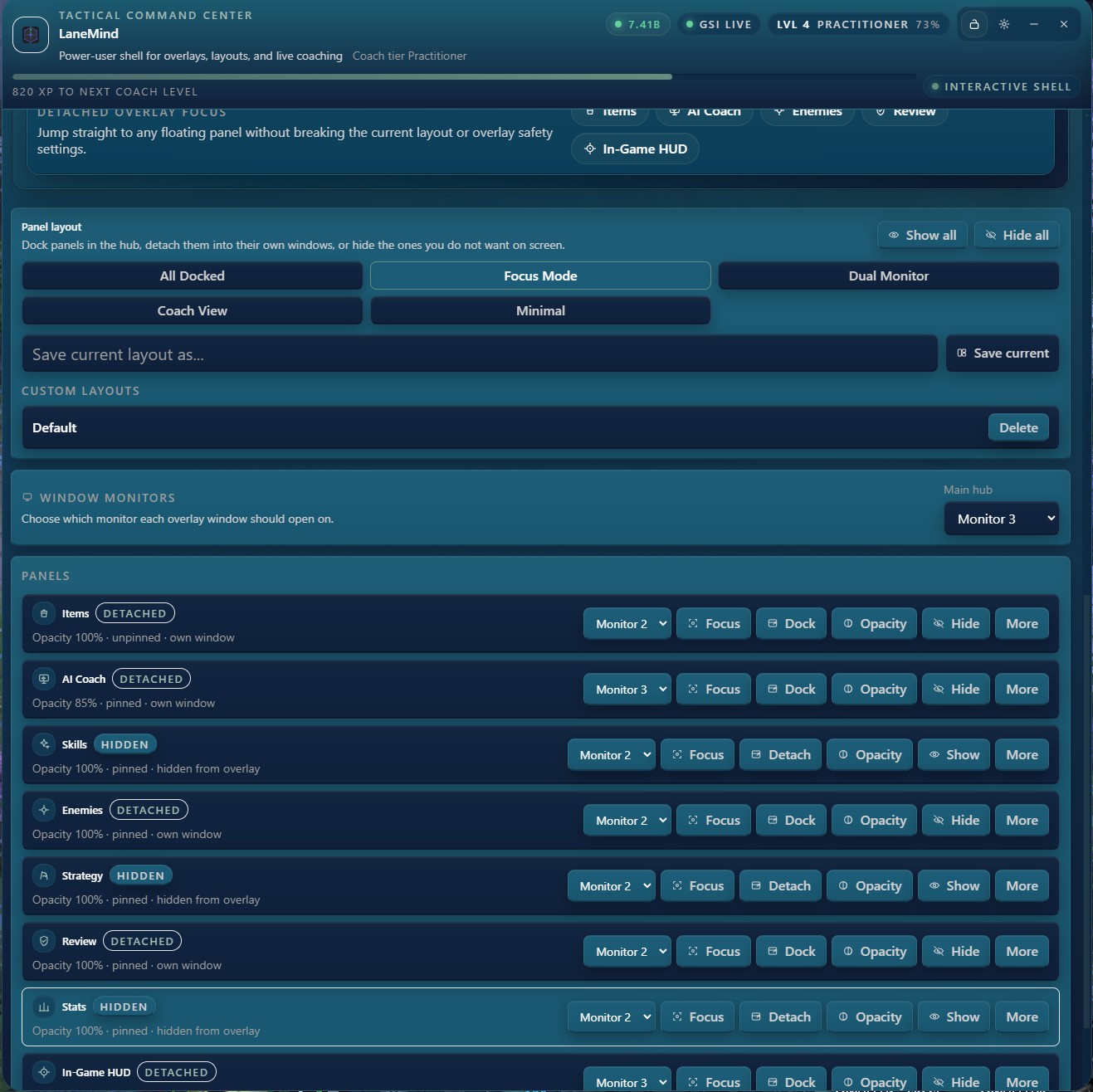
A real command center for every overlay window
LaneMind is not just one overlay box. The hub gives you full control over every panel, every monitor, every layout preset, and every focus mode. Serious players can build a clean multi-window setup that matches their monitor layout and their comfort level.
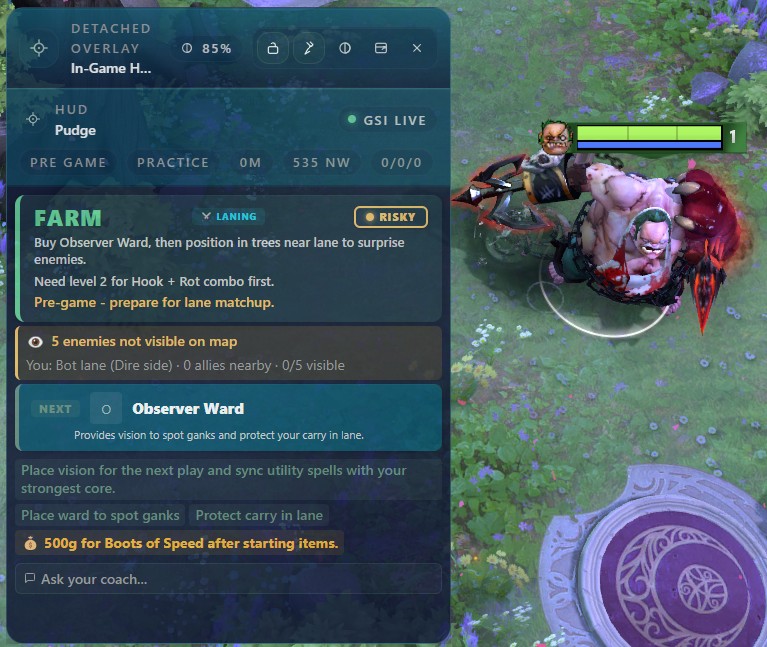
In-game HUD advice that stays actionable, not noisy
The HUD is built for the moments that actually matter: what you should do next, what danger is nearby, and what item or action gives you the best chance to win the next 30 seconds. It is designed to be read fast, understood fast, and acted on immediately.
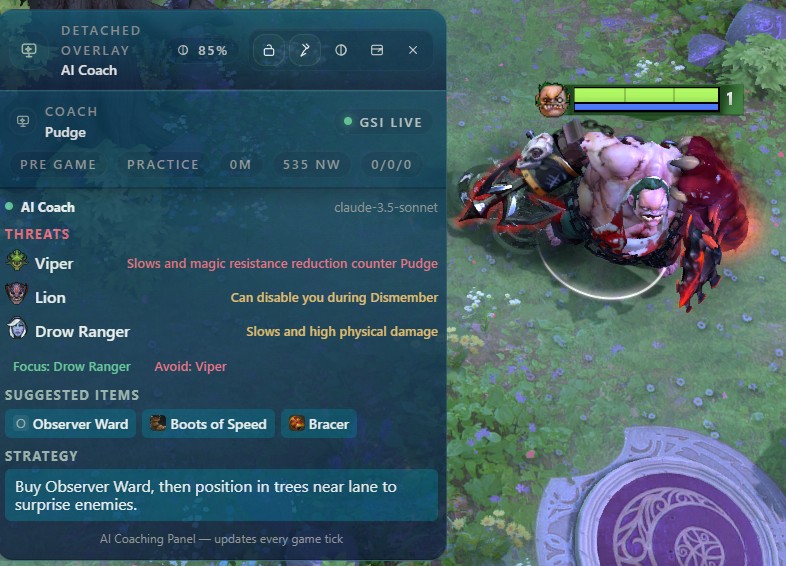
Coach detail that explains the why, not just the what
The Coach panel turns raw game state into practical strategy. Instead of generic item lists, you get enemy-specific threats, focus targets, avoid targets, and item sequencing shaped by your hero, role, lineup, and live timing window.
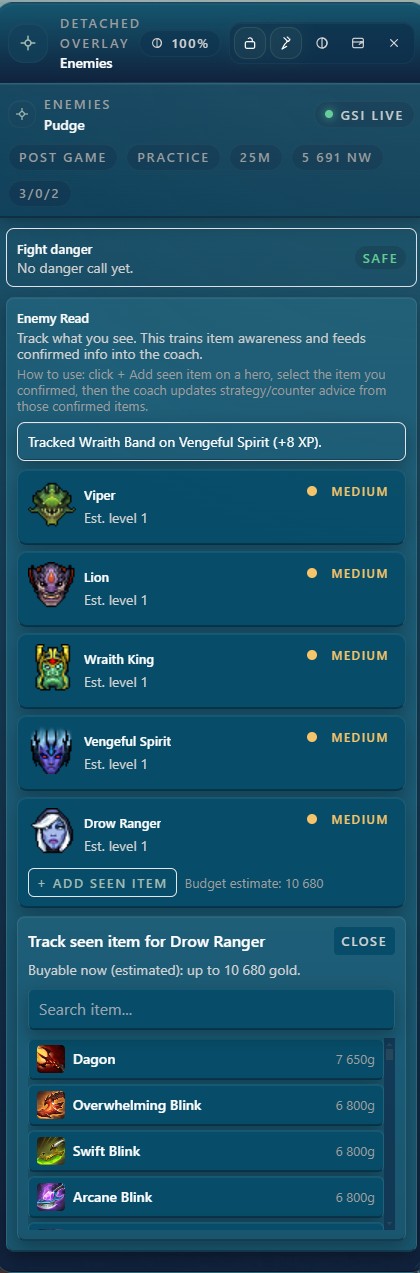
Enemy reads that help you respect confirmed information
Winning players read the map. Great players also respect what is not confirmed yet. The Enemies panel is built to train item awareness and lineup recognition from visible and public match context so you stop guessing who is rich, who is spiking, and what item is about to punish your next fight.
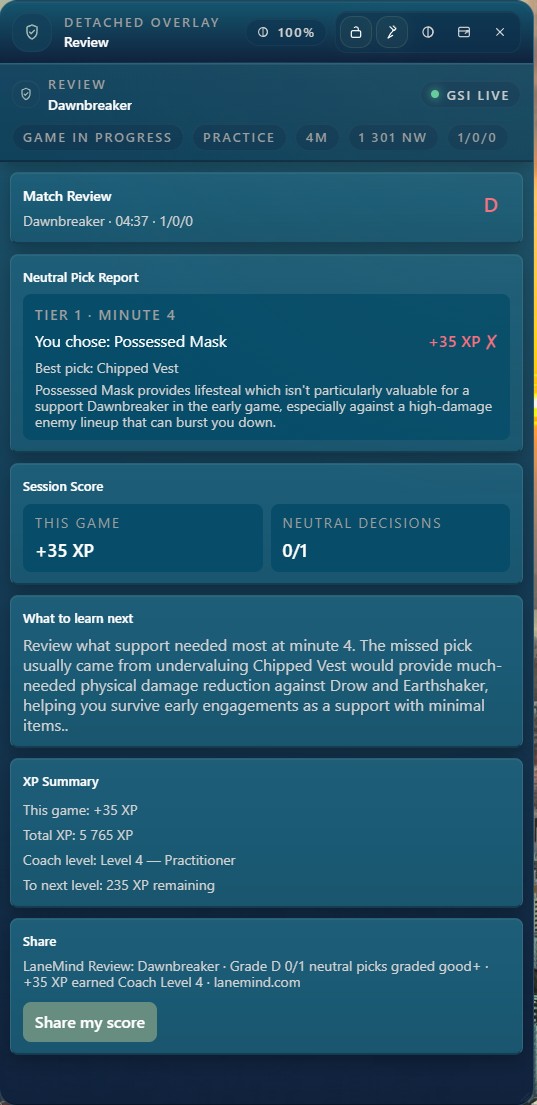
Post-game review that converts mistakes into real improvement
MMR growth does not come from one flashy game. It comes from the learning loop after the game. LaneMind's review flow highlights where decisions lost value, what the better choice looked like, and what to focus on next so the same mistake does not repeat tomorrow.
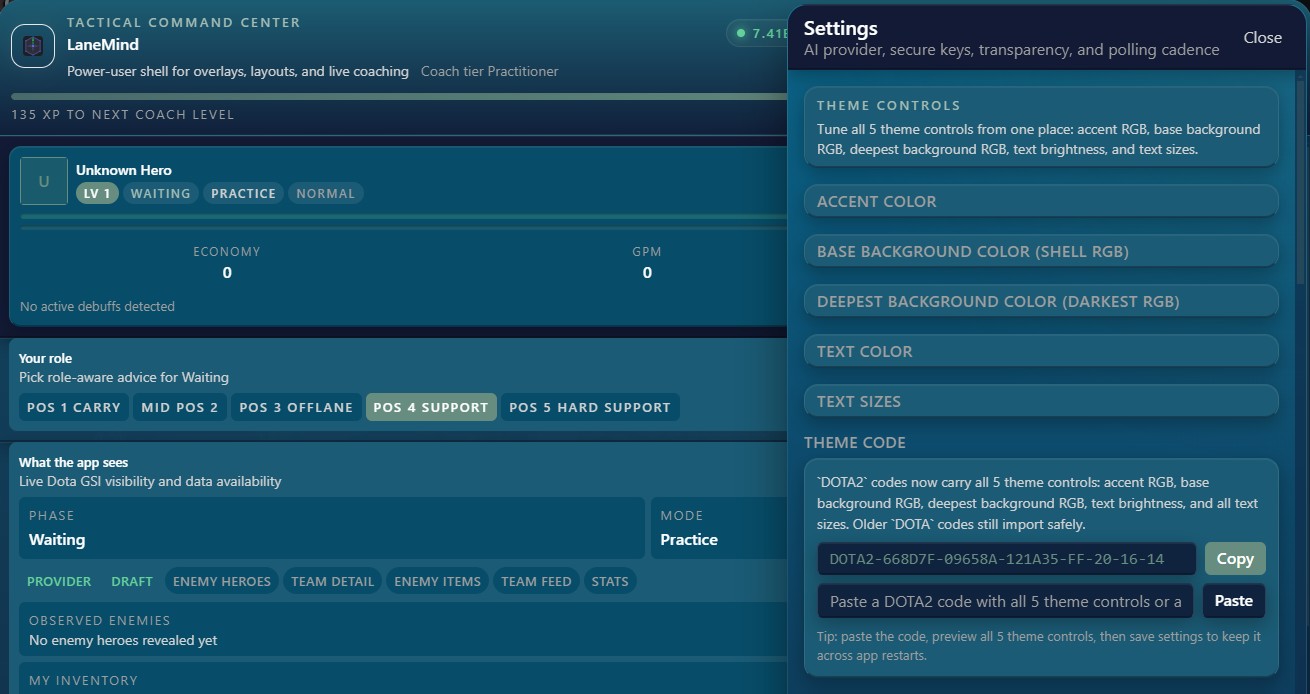
Theme and layout customization for players who care about polish
Your overlay should feel like part of your setup, not a foreign object sitting on top of it. LaneMind gives you theme controls, text sizing, saved theme codes, opacity tuning, and settings that make the product feel premium instead of disposable.
A closer look at the Stats dashboard
Every LaneMind install includes a full statistics dashboard that turns your imported match history into a clear improvement picture. These are the views you will use most — all captured from the real app.
DOTA2-6B7C83-000C0A-000000-FF-20-16-14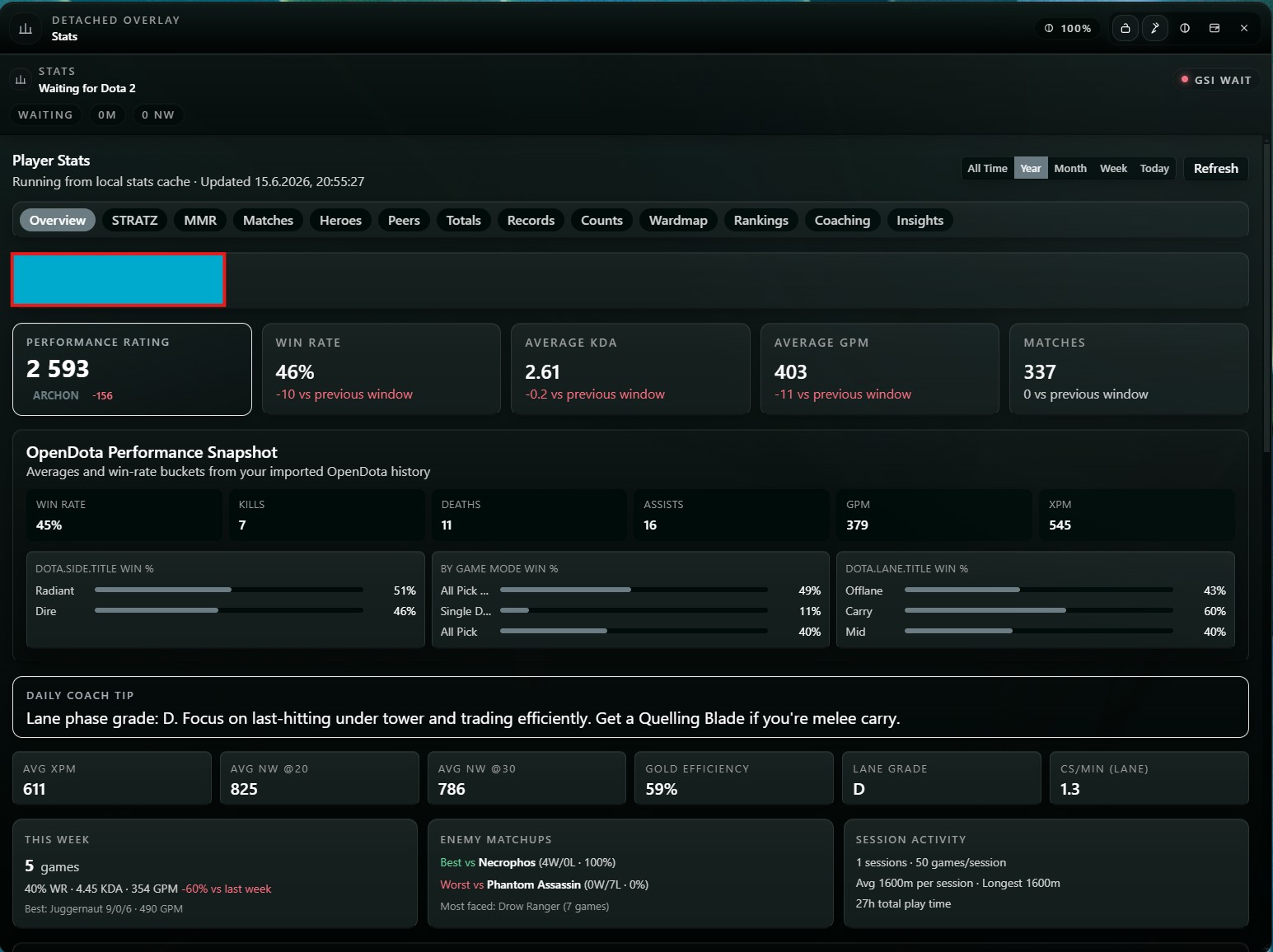
Performance overview
Performance rating, win rate, KDA, GPM, lane grade, and a daily coach tip at a glance.
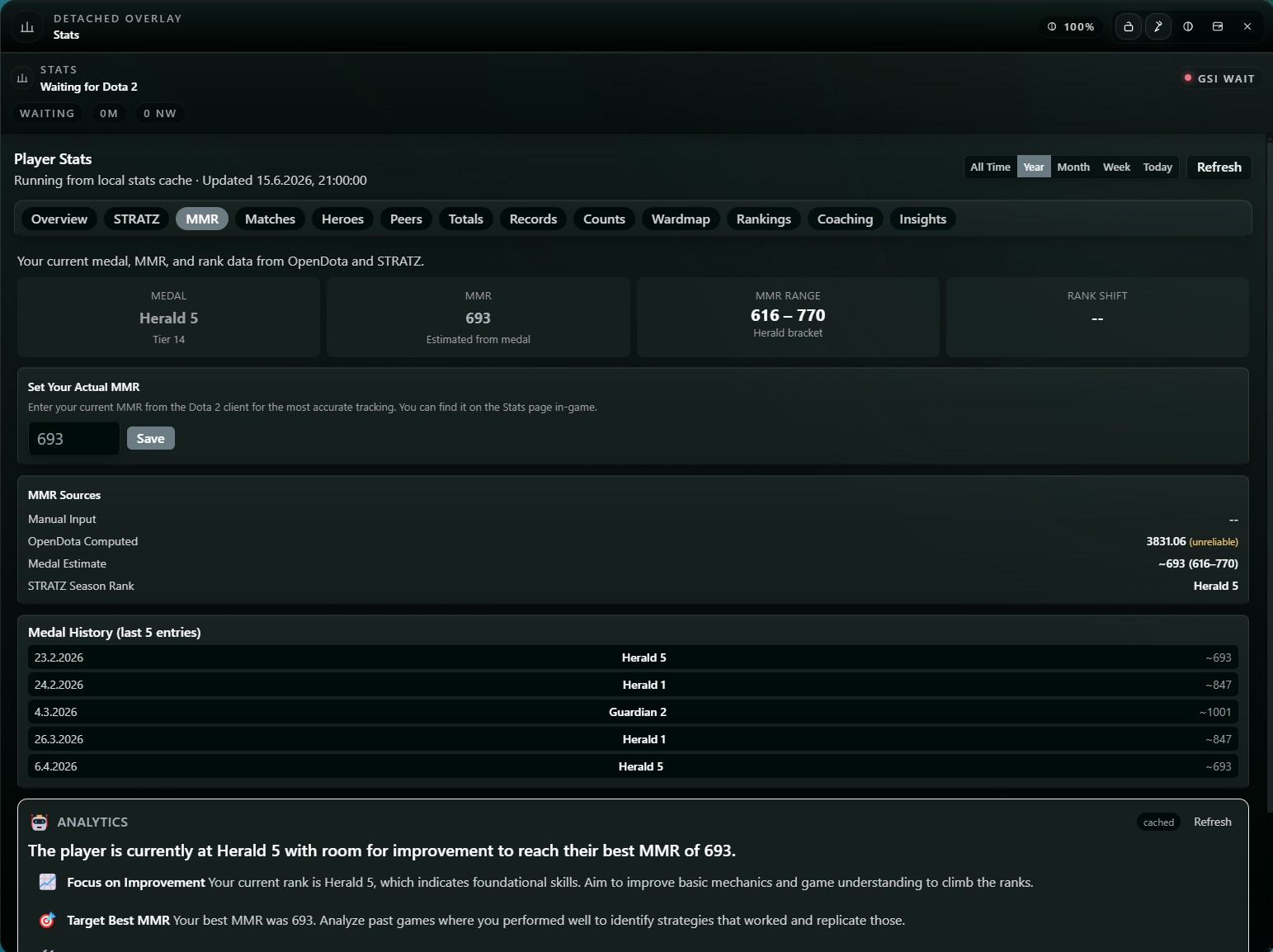
MMR & medal tracking
Track your medal, estimated MMR, rank range, and medal history over time.
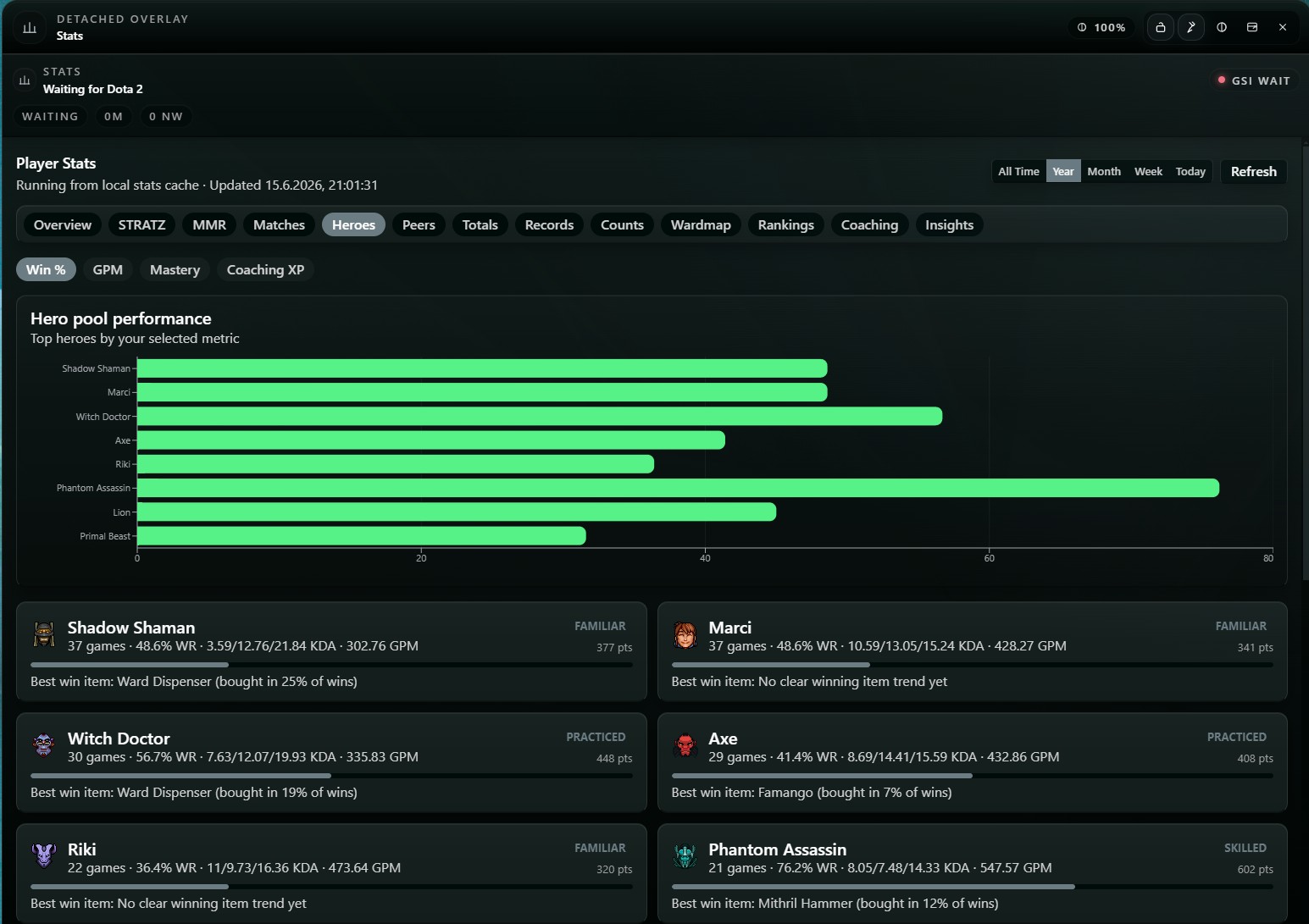
Hero pool performance
See win rate, KDA, GPM, and the best win items for every hero you play.
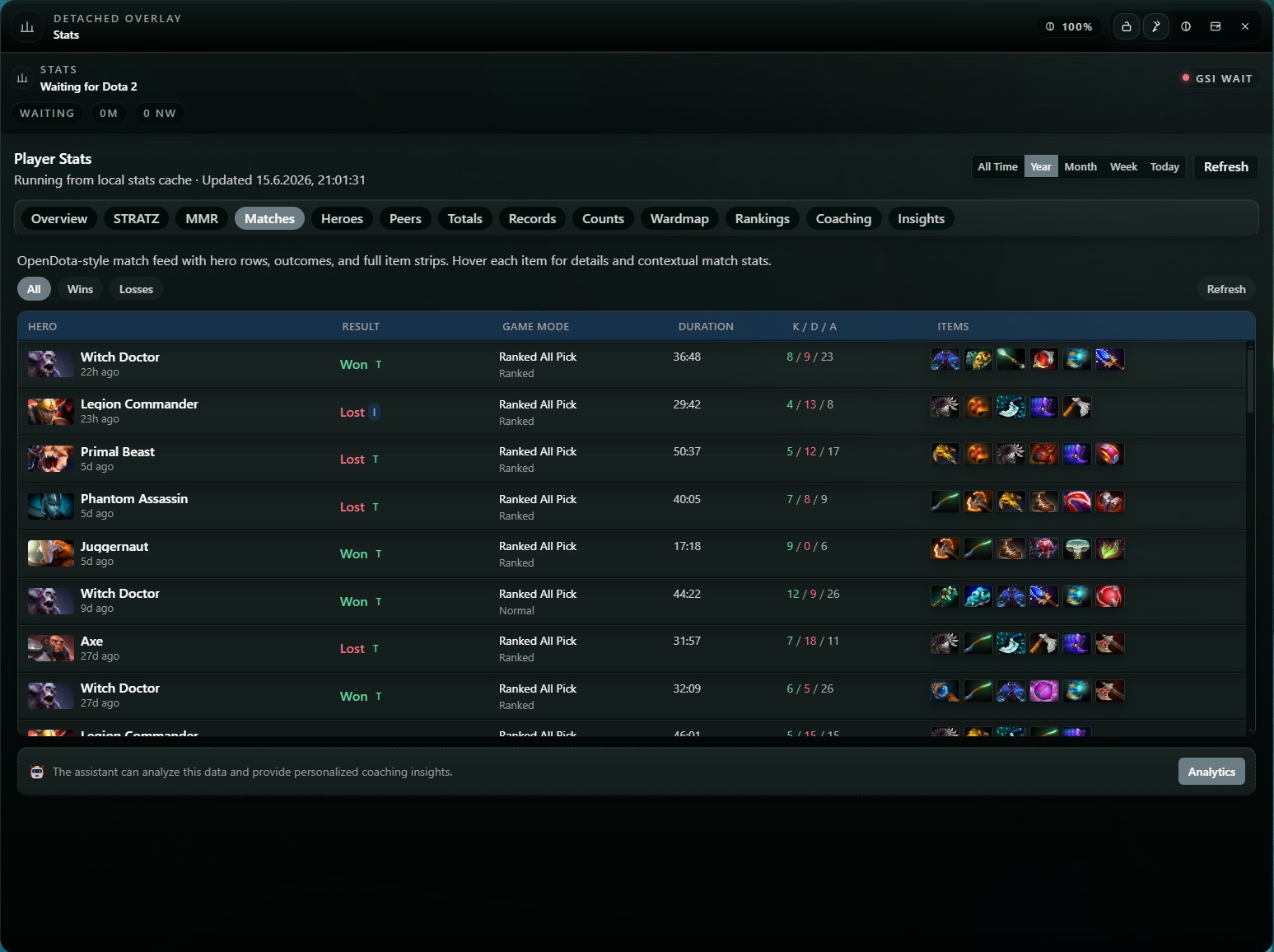
Match history feed
An OpenDota-style match feed with full item builds, results, and KDA per game.
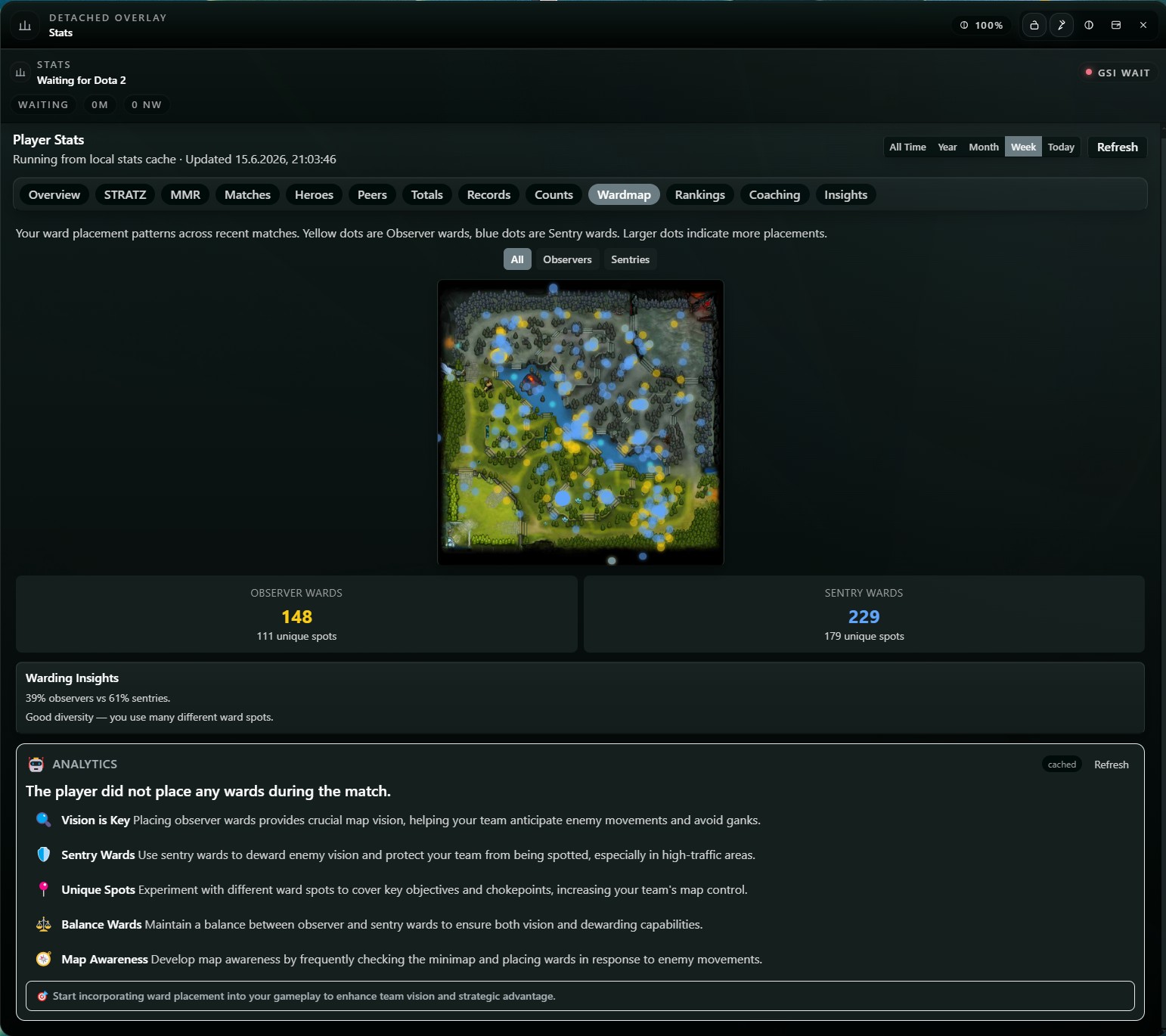
Ward map heatmap
Your observer and sentry placements mapped across recent games, with warding insights.
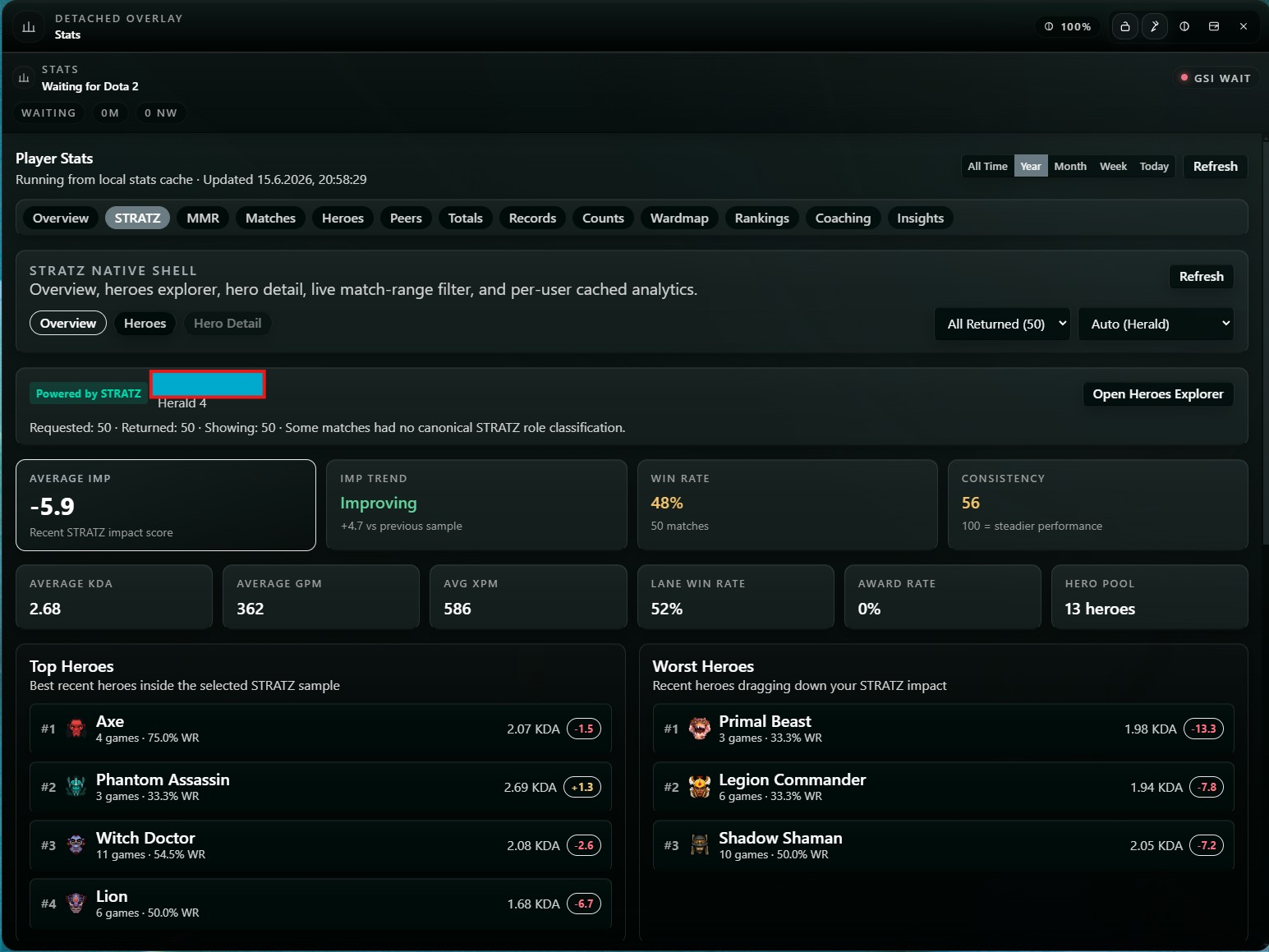
STRATZ impact analysis
A STRATZ-powered IMP score, consistency, and your best and worst recent heroes.
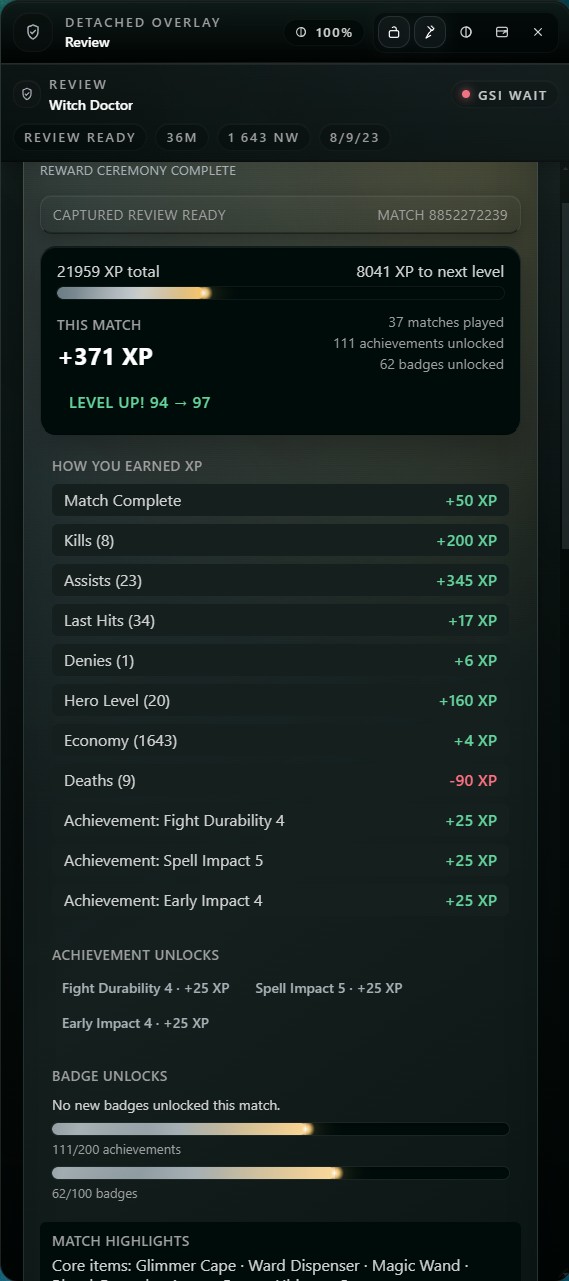
Post-game review & rewards
Every match ends with XP, achievements, badges, and match highlights that keep you improving.
Set up in minutes. Useful for months.
LaneMind is easy to install, but it is not a throwaway overlay. The value compounds over time as your layouts, reviews, habits, and match understanding get sharper.
Create your account
Sign up on LaneMind, pick your plan, and unlock the dashboard that ties your matches, statistics, coaching, and updates together.
Download and connect
Install the desktop app. LaneMind configures Dota 2's official GSI feed so live analytics and coaching context start automatically when the game is live.
Play, review, improve
Use the overlay during the match, then come back to the review and stats flow after the game to tighten the next session.
Safe, compliant, and built for serious players
The product only works because players trust it. LaneMind is designed around official data access, readable overlays, and a coaching experience that improves decision quality without crossing into cheat behavior.
Valve-compliant by design
LaneMind reads official Game State Integration data only. No injection, no game file tampering, no automation, no cheat tooling.
Built for real decision-making
The product is designed to help with timing, pressure, threats, and itemization while you still have time to act on the information.
Useful for both buyers and BYOK users
Subscribers get the polished full experience, while advanced users can still bring their own model provider and API key.
Stop guessing. Start climbing with better information.
If you are serious enough to improve, you should be serious enough to coach smarter. LaneMind gives you live context in the match, then backs it up with the most valuable part of the system: post-game analysis and stats intelligence that make every future session smarter.